
How to Find the Right Toner or Ink for Your Printer

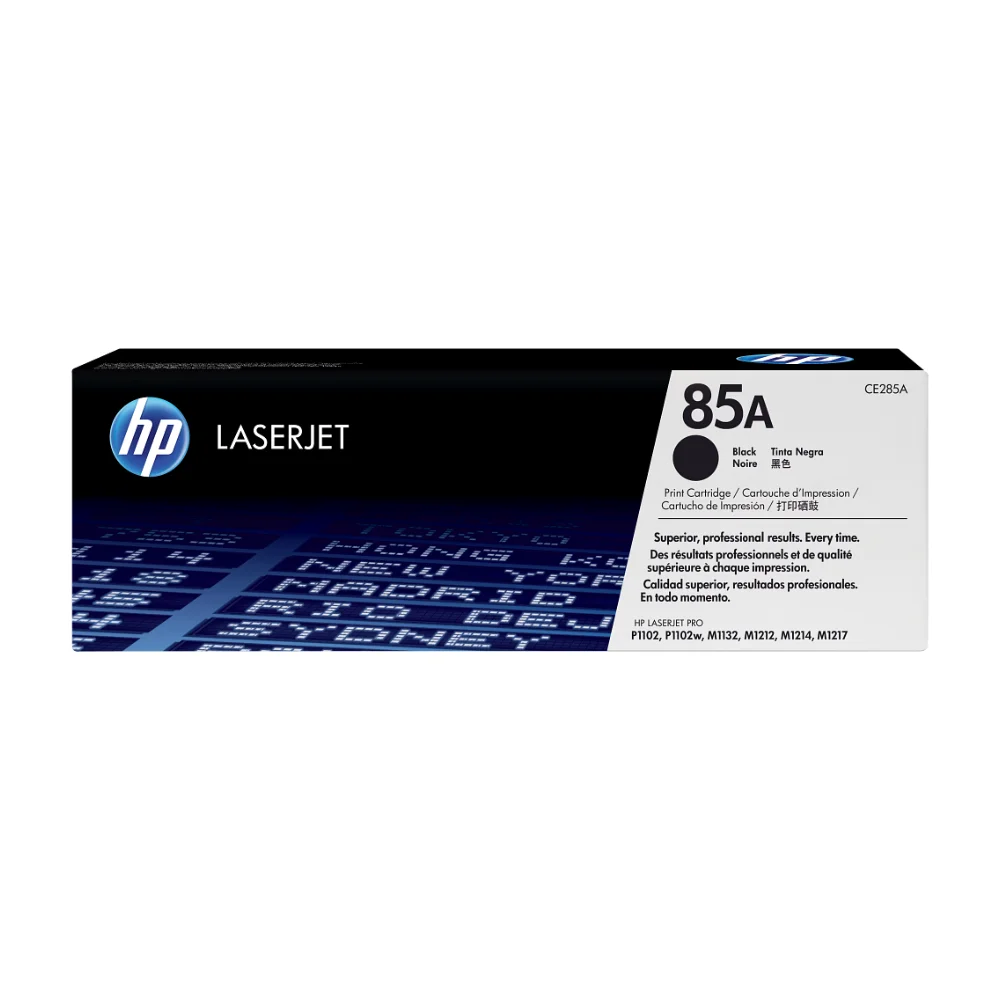
Buying the wrong toner or ink is the most common printing mistake. The good news: every printer tells you exactly what it needs. Here is how to find the right one in under a minute.
1. Read the code on your old cartridge or bottle
The easiest way is to look at the cartridge you are replacing. Examples:
- HP toner: a short code like 85A or 12A, and a part number like CE285A or Q2612A.
- Canon toner: a number like Cartridge 337 or 325.
- Brother toner: a code like TN-2380; drums start with DR-.
- Ink bottles: Epson uses numbers like 003 or 664, Canon uses GI-790, HP Smart Tank uses GT53 (black) and GT52 (colour).
2. Or search your printer model
Type your printer model in the search box at the top of our website, for example L3250, G3010 or M1188. Spaces and dashes do not matter: L 130 and L130 give the same results. You can also use our toner finder.
Common printers and what they use
- HP Laser 1008w and MFP 1188 series: HP 166A toner
- Canon LBP6030w: Canon Cartridge 325
- Canon PIXMA G1010, G2010, G3010: Canon GI-790 ink
- Epson L3250: Epson 003 ink
- Epson L130: Epson 664 ink
- HP Smart Tank 520, 580, 670, 750: HP GT53 black and GT52 colour
3. Original or compatible?
Most codes come in two versions: original (made by the printer brand) and compatible (made by a third party to fit the same printer). Both fit; read our guide original vs compatible toner, or browse original toners and compatible toners.
Still not sure?
Send us a photo of your printer or old cartridge on WhatsApp and we will tell you the exact code before you order.
Buying from Innovink
- Genuine printers, inks and toners, plus quality compatible options
- Islandwide delivery to Colombo, Kandy, Galle, Jaffna and every district
- Cash on delivery, bank transfer, card or 3 interest-free Koko instalments
- Showroom and printer repair centre in Rajagiriya